Building a chatbot today doesn't require a developer, a budget for custom software, or weeks of planning. Pick a channel, choose a no-code builder, sketch the conversation, connect an AI agent to your knowledge base, and publish. Most businesses get a working bot live in under an hour and refine it over the following days as real conversations come in.
That’s the short version. The long version — the one that actually determines whether your bot generates sales or just annoys people — is what the rest of this guide covers: how to plan the flow, which features matter, what beginners get wrong, and how to launch something customers actually want to talk to.
What Is a Chatbot and Why Businesses Use One
A chatbot is a program that holds a conversation inside a messenger, website widget, or app, and responds based on rules, keywords, or an AI model trained on your content. Instead of a customer waiting for a manager to reply, the bot answers instantly — day or night, across time zones, without a queue.
Businesses adopt chatbots for three practical reasons. First, response speed: a lead asking about price at 11 p.m. gets an answer immediately instead of the next morning, and that gap often decides whether the sale happens at all. Second, cost: one bot can handle hundreds of parallel conversations that would otherwise require several support agents. Third, consistency: a bot never has an off day, forgets a promo code, or gives a different answer to the same question twice.
None of this replaces people entirely. A well-built bot handles the repetitive 80% — FAQs, order status, booking, lead qualification — and hands off the remaining 20% to a human at the right moment. That handoff logic is usually where a good bot separates itself from a frustrating one.
Chatbot Types: Which One Fits Your Goal
Not every business needs the same kind of bot. A restaurant taking reservations has different needs than a SaaS company qualifying enterprise leads. Before building anything, it helps to know which category your bot falls into.
Chatbot type
Best for
How it responds
Setup effort
Rule-based (menu/button flow)
FAQs, order tracking, simple bookings
Predefined buttons and keyword triggers
Low — a few hours
AI agent with knowledge base
Support, consultations, product Q&A
Generates answers from your documents, site, and FAQs
Medium — connect sources, review answers
Hybrid (rules + AI + human handoff)
Sales funnels, lead qualification, e-commerce
Combines scripted steps with AI replies and manager handoff
Medium-high — needs a clear escalation path
Broadcast/marketing bot
Promotions, re-engagement, newsletters
Sends segmented messages, collects replies
Low — build a subscriber list and segments
Most businesses that start with a simple rule-based bot eventually add an AI agent on top once they see which questions keep repeating. That’s a natural upgrade path, not a rebuild — the flow you design in step one below stays useful even after AI is layered in.
Expert tip: Don’t try to script every possible question in your first version. Launch the bot with your top 5–7 most frequent questions covered, then let real conversations tell you what to add — trying to plan for every edge case up front is the single biggest reason chatbot projects stall before launch.
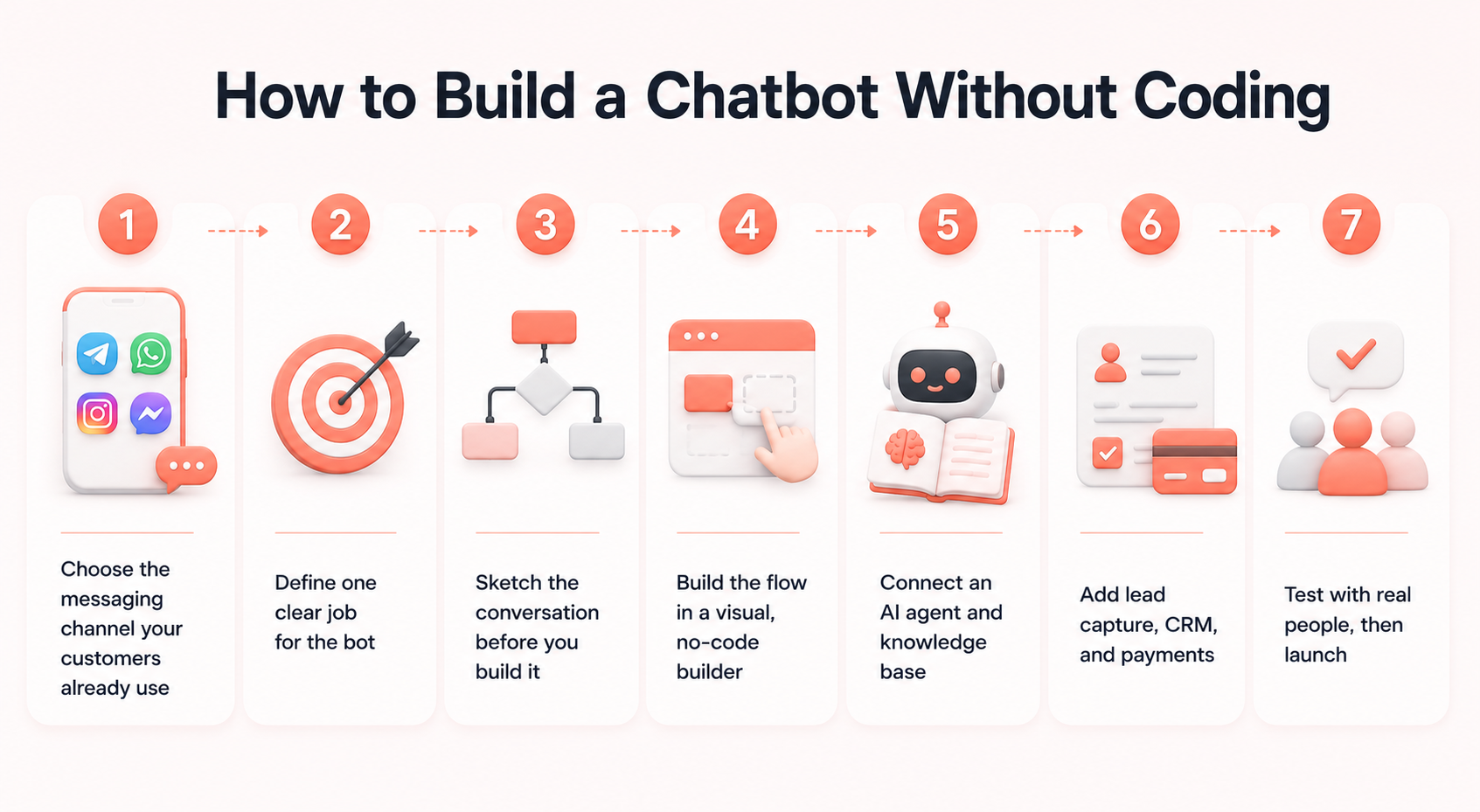
Step-by-Step: How to Build a Chatbot Without Coding
Step 1. Choose the messaging channel your customers already use
Don’t pick a channel because it’s trendy — pick where your audience already spends time. A local service business might live in Telegram or WhatsApp*, an online store might lean on Instagram* direct messages, and a B2B company might prioritize a website widget.
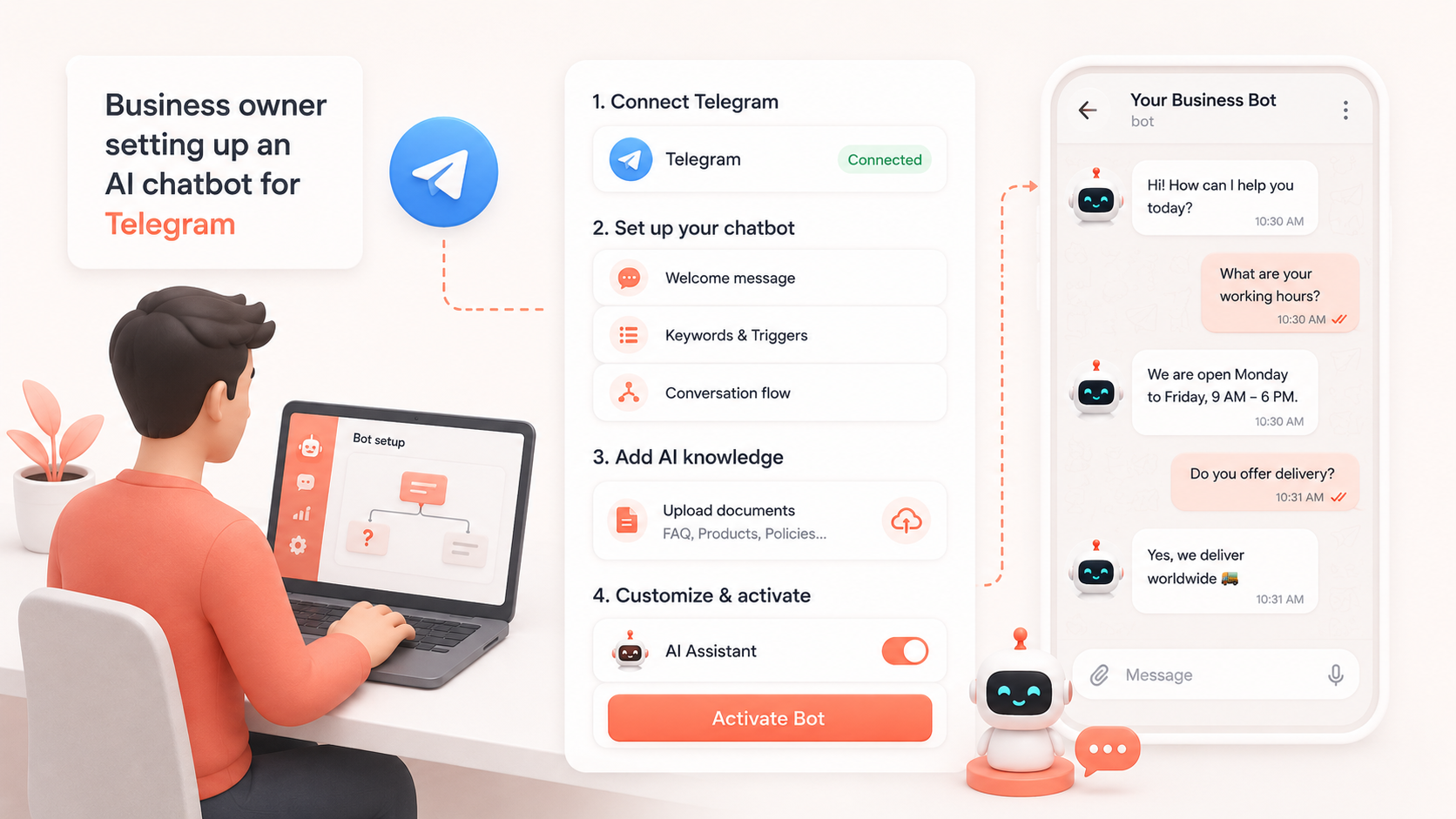
BotHelp connects toTelegram, Instagram*, Facebook Messenger* or Viber from one account, so you’re not locked into a single platform as you grow.
Step 2. Define one clear job for the bot
A bot that tries to do everything at once — sell, support, survey, and entertain — usually does all four poorly. Pick the primary job: qualify leads, answer support questions, take bookings, or recover abandoned carts. Everything else becomes secondary until the core flow works.
Step 3. Sketch the conversation before you build it
Write the flow on paper or in a doc first: greeting, the first question you ask, the branches based on the answer, and the exit point (purchase, booking, handoff to a human, or end of chat). This step catches dead ends and confusing branches long before a real customer does.
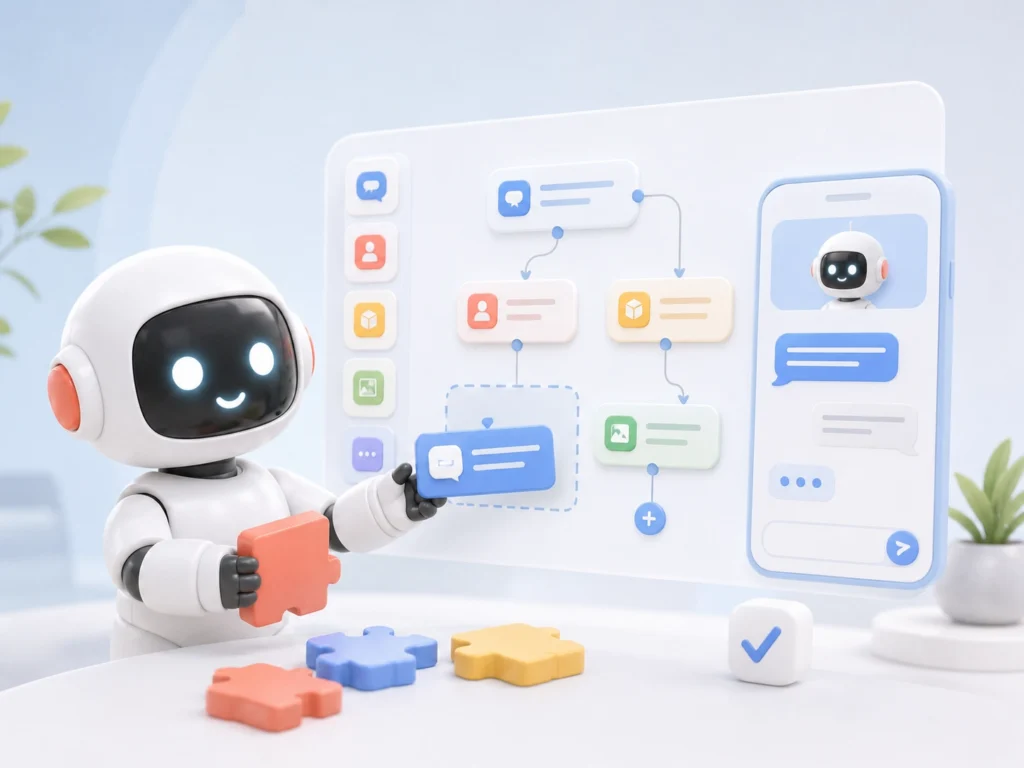
Step 4. Build the flow in a visual, no-code builder
Open a drag-and-drop chatbot builder, add message blocks, buttons, and keyword triggers (in BotHelp these are called “code words” — the bot listens for a word or phrase and jumps straight to the matching step). No programming is required; you’re arranging blocks the same way you’d arrange slides in a presentation.
Step 5. Connect an AI agent and knowledge base
Upload your product docs, pricing page, FAQ, and policies (PDF, DOCX, XLSX, or a linked website), and the AI agent answers questions using that material instead of guessing. This is what turns a rigid button-menu bot into something that can handle unscripted questions — “do you ship to Kazakhstan?” — without you writing a rule for every possible phrasing.
Step 6. Add lead capture, CRM, and payments
Connect a form or quick-reply buttons to collect name, contact, and intent, push that data into a CRM automatically, and — if you sell directly through chat — enable in-chat payment so a customer can pay without leaving the conversation.
Step 7. Test with real people, then launch
Send the bot to five to ten people who match your actual audience and watch where they get stuck, not just whether the “happy path” works. Fix the two or three points where people hesitate or drop off, then publish.
Expert tip: Watch where people stop replying, not just what they type — a silent drop-off after a specific question is a much stronger signal than any survey, because it shows you the exact moment the bot lost the person’s interest.
Chatbot Features That Actually Move the Needle
A long feature list looks impressive on a pricing page, but only a handful of features change outcomes in practice.
AI agent with a knowledge base — cuts the number of questions that need a human, often the biggest single time-saver once it’s set up.
Growth tools — QR codes, deep links, and website widgets that turn ad clicks and site visitors directly into chat subscribers instead of losing them on a landing page.
Broadcasts and segmentation — messages sent by tag or attribute reach messenger inboxes that people actually open, unlike a lot of email that sits unread.
Mini-CRM — keeps deal stage, contact history, and notes attached to the conversation instead of scattered across spreadsheets.
In-chat payments — lets a customer complete a purchase without switching apps, which reduces the number of people who simply don’t come back.
Analytics with UTM tracking — shows which ad, post, or channel actually produced a paying customer, not just a click.
You don’t need all of these on day one. Most teams start with the flow builder and growth tools, then add the AI agent and CRM once the bot proves it can hold a basic conversation reliably.
Common Mistakes When Building a Chatbot
No fallback for “I don’t understand.” Every bot needs a graceful response for unrecognized input, ideally one that offers a human handoff instead of a dead end.
Too many choices in one message. More than three or four buttons at once tends to overwhelm rather than help — split the decision into smaller steps.
No exit to a human. Even the best AI agent should have a clear way to reach a person, especially for complaints or unusual requests.
Ignoring the first message. The opening line decides whether someone keeps chatting or closes the window; a generic “Hi, how can I help?” performs worse than a specific offer or question.
Launching without testing on mobile. Most messenger traffic is mobile — a flow that looks fine on a desktop preview can feel cramped or broken on a phone screen.
Never checking the analytics after launch. A bot that isn’t reviewed after week one keeps repeating the same mistakes indefinitely.
What a Chatbot Costs to Build and Run
Building the bot itself is usually free if you use a no-code platform with a trial tier — the real ongoing cost is tied to your subscriber count and which channels you use, not to development work. A free plan is normally enough to test the concept with a few thousand contacts, and pricing scales as the subscriber list grows rather than jumping in one large step.
Official WhatsApp* Business API access typically carries a separate monthly fee on top of the platform cost, since it runs through Meta’s own pricing.
The practical way to budget is to start on a free trial, measure how many subscribers and conversations you actually generate in the first two to four weeks, and pick a paid tier based on real numbers instead of guessing in advance.
Chatbot Examples by Use Case
Lead qualification. A bot asks two or three qualifying questions — budget range, timeline, product interest — before a conversation ever reaches a sales rep, so the team only spends time on leads worth pursuing.
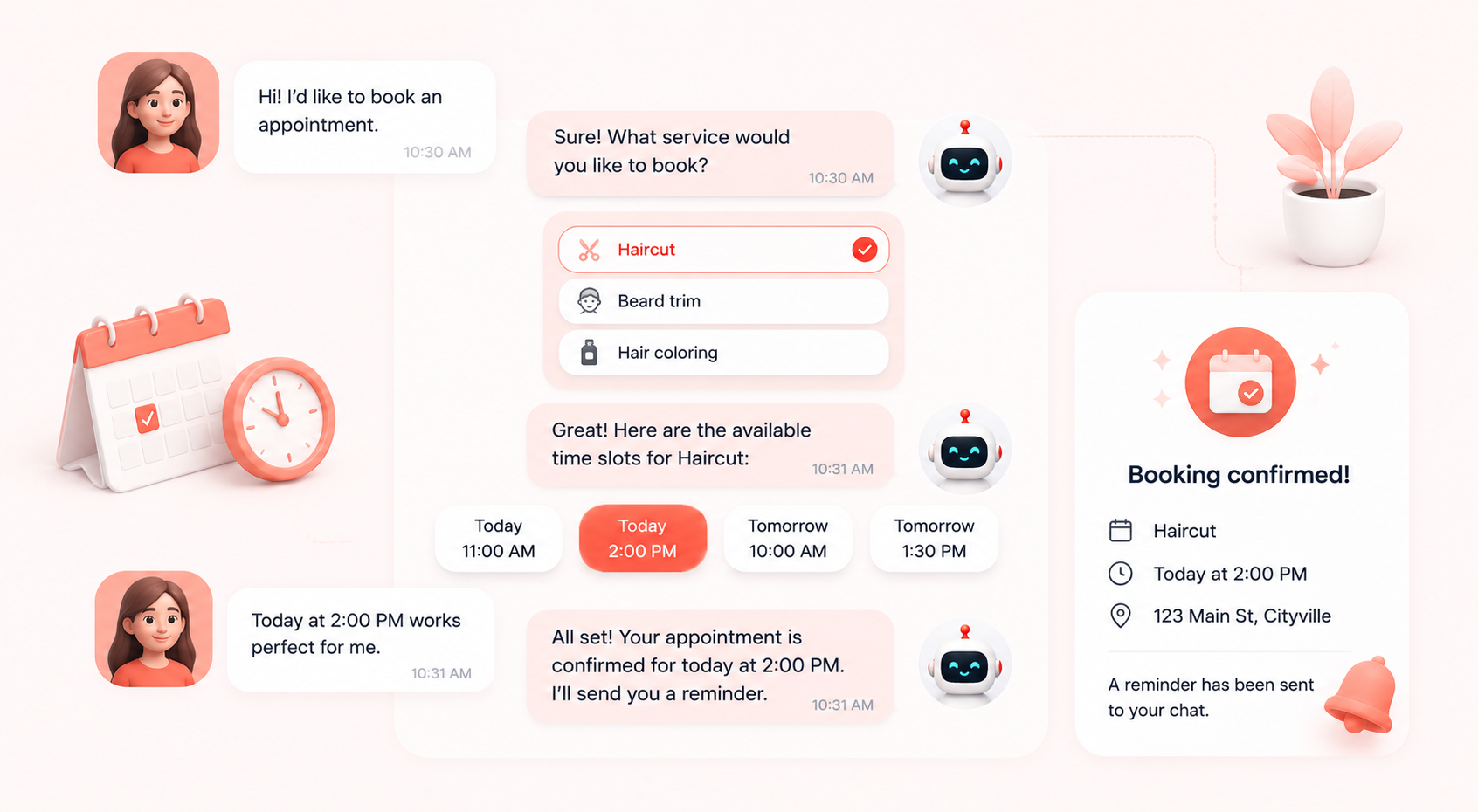
Booking and scheduling. A service business lets customers pick a time slot directly in the chat, with the bot confirming the slot and sending a reminder, removing the back-and-forth of manual scheduling.
Order and shipping status. An online store connects order data so customers can check status by typing an order number, instead of writing to support and waiting for a reply.
Course and content delivery. An educator or coach delivers lesson content, quizzes, or reminders on a schedule, using the bot as a lightweight alternative to a full learning platform.
If you’d rather start from something proven than build a flow from a blank canvas, BotHelp’schatbot templates cover several of these use cases out of the box — quizzes, contests, and lead-capture flows you can adjust instead of designing from scratch.
Launch Checklist Before You Go Live
The bot has a clear, specific opening message — not a generic greeting.
Every button or keyword trigger leads somewhere useful, with no dead ends.
There’s a fallback response for messages the bot doesn’t recognize.
A human handoff option exists and is easy to find.
The flow has been tested on a phone, not just in the builder preview.
Lead or contact data is flowing into your CRM correctly.
Analytics and UTM tracking are set up before you start sending traffic.
*Instagram, Facebook, and WhatsApp are products of Meta Platforms, Inc., a company recognized as extremist and banned in the Russian Federation.
A simple rule-based bot for FAQs or bookings can be built in a few hours with a no-code tool. Adding an AI agent with a knowledge base and CRM integration usually takes a day or two, mostly spent uploading and reviewing content.
No. Visual, drag-and-drop builders let you assemble the conversation flow with blocks, buttons, and keyword triggers — no programming language required.
Start where your customers already are. If you're not sure, check where your current inquiries come from — Instagram* comments, Telegram, WhatsApp* — and build there first.
It replaces the repetitive part of support — FAQs, status checks, basic troubleshooting — and routes anything unusual or sensitive to a human. Full replacement isn't the goal; freeing up your team's time is.
Yes. You can start a free 14-day trial with no card required and test the full flow builder, AI agent, and channel connections before paying anything.
It answers strictly from the documents and pages you upload, so accuracy depends on keeping that knowledge base current. Review the conversation log periodically and update the source documents when you spot a gap.
Ready to stop losing leads to slow replies? Build your first chatbot for free and have it live on Telegram, WhatsApp*, or Instagram* today.
We use essential cookies 🍪 These cookies keep the site secure and let it work
properly. They don’t store any personal information. Read our Cookie
Policy for details.