Reply instantly, 24/7
Answer in seconds at any hour so you never lose a lead to a slow response.


Connect your Facebook business page to BotHelp and turn Messenger conversations into automated funnels that answer questions, qualify leads, collect data, and hand off hot conversations to your team.
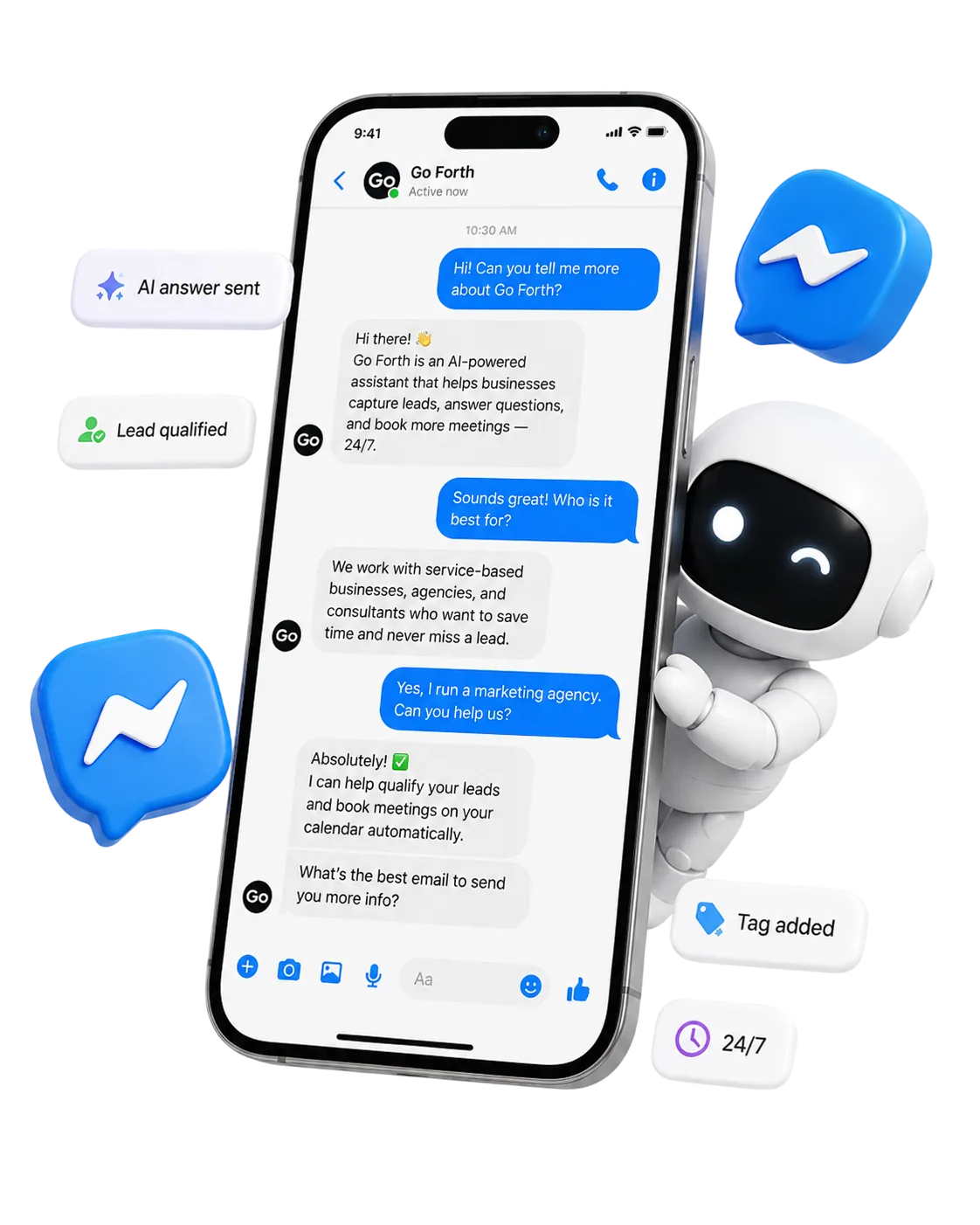
Messenger is where customers ask questions, click ads, request consultations, and decide whether to buy. BotHelp helps you respond instantly and move every conversation toward a clear business outcome.
Answer in seconds at any hour so you never lose a lead to a slow response.
Collect names, contacts, goals and intent right inside the chat.
Let an AI agent handle open-ended questions and recommendations.
Escalate hot conversations to a manager with full context.
Reuse winning flows for ads, launches, events and support.
Turn every conversation into measurable, segmentable data.
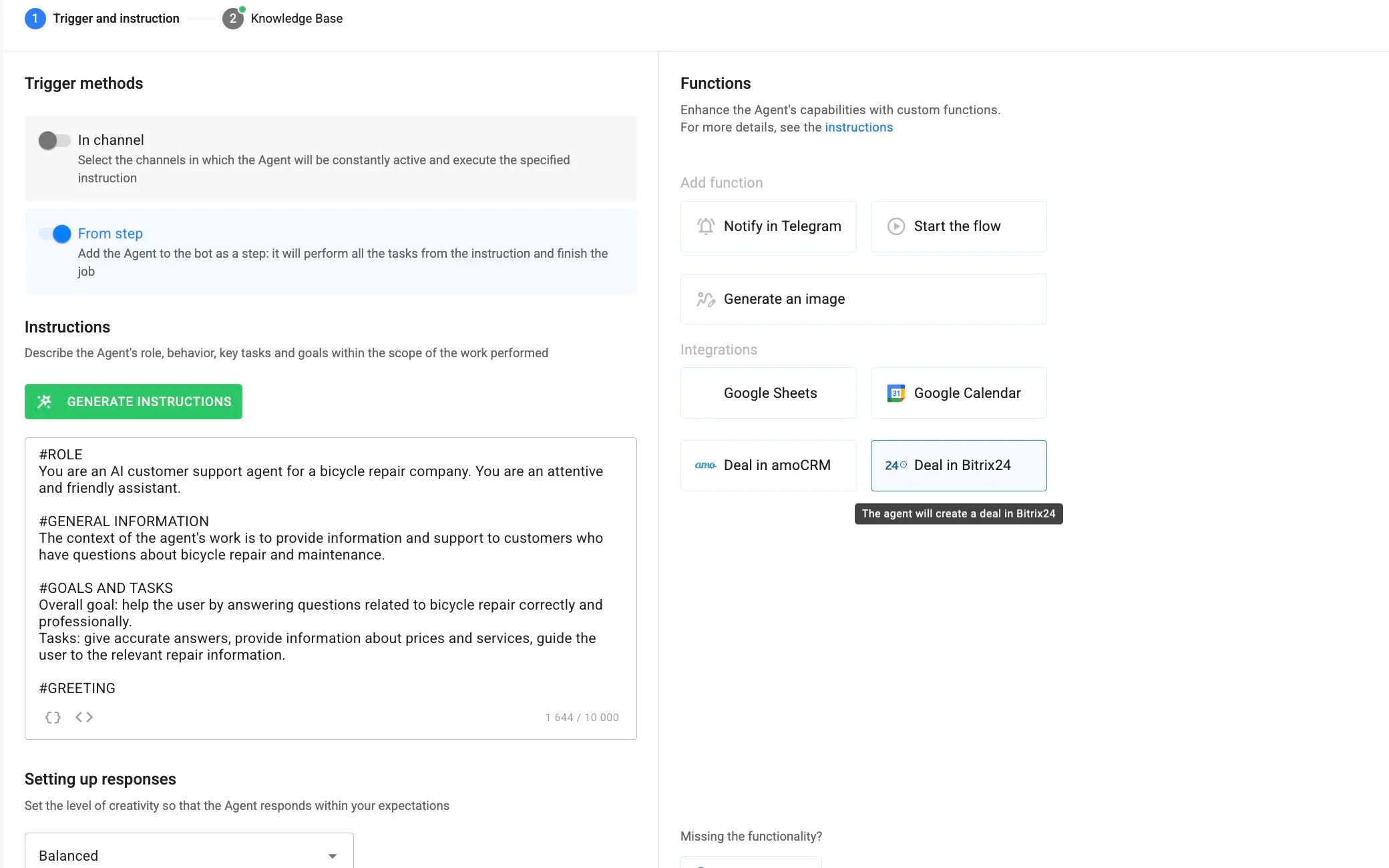
Use AI agents when users ask open-ended questions, need recommendations, or should be qualified before a manager joins the conversation.
Resolve common questions instantly using your own docs and content.
Understand goals and intent without rigid button-only scripts.
Store answers and fields so the data is ready for segments and CRM.
Suggest the right program, product or action based on the answers.
Run AI for the whole channel, or only inside specific flow steps.
Pass the conversation and collected data to a person when needed.
A typical AI-assisted path from a first message to a routed, qualified lead.
A person starts a conversation from an ad, a link, or your page.
The AI replies from your knowledge base and asks qualifying questions.
Tags, fields and source are stored, and the lead is sent to the right place.
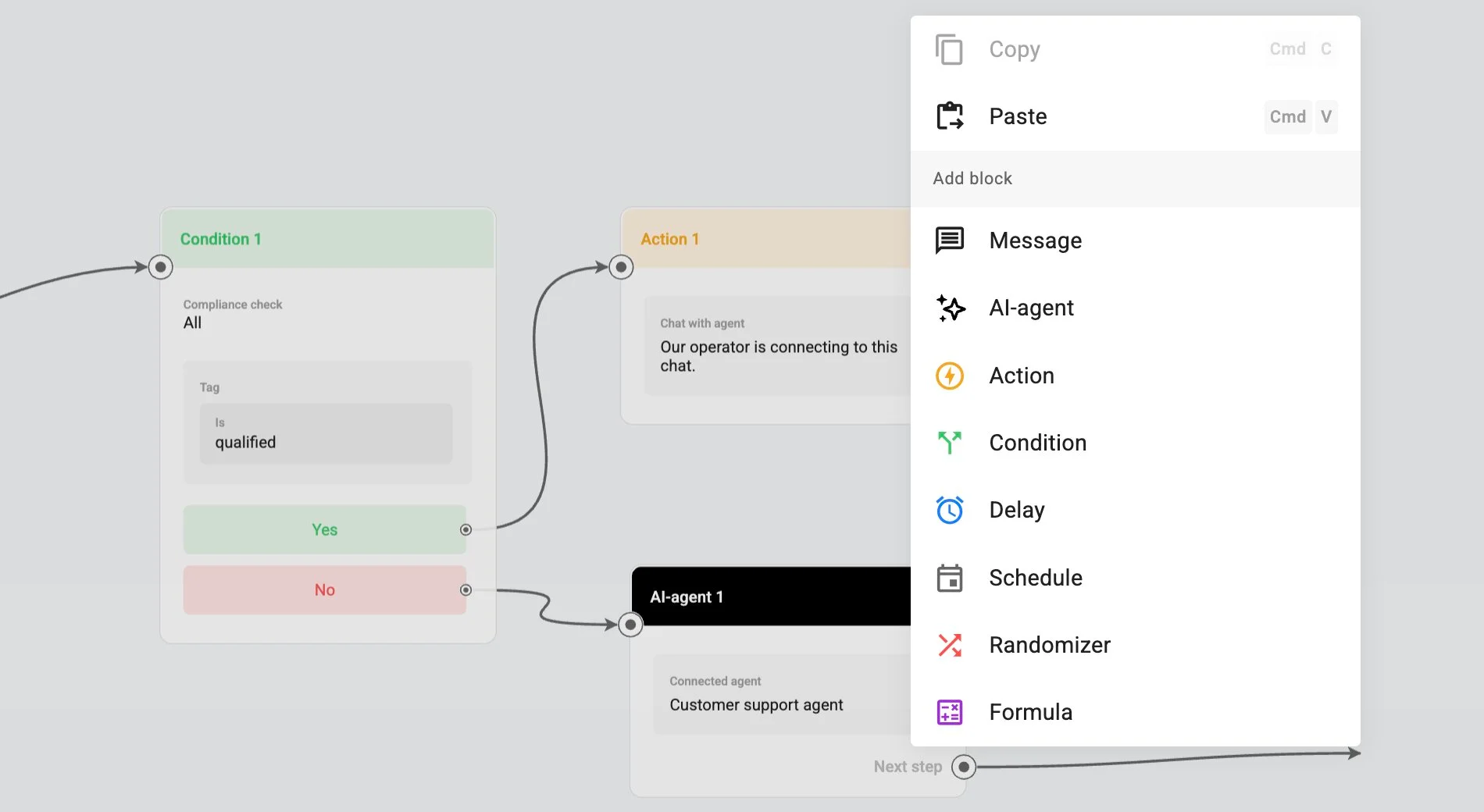
Create Messenger automations with messages, questions, buttons, conditions, delays, actions, tags, and AI-agent steps.
Map the full flow from welcome message to qualification, AI answer, offer, follow-up, and human handoff.
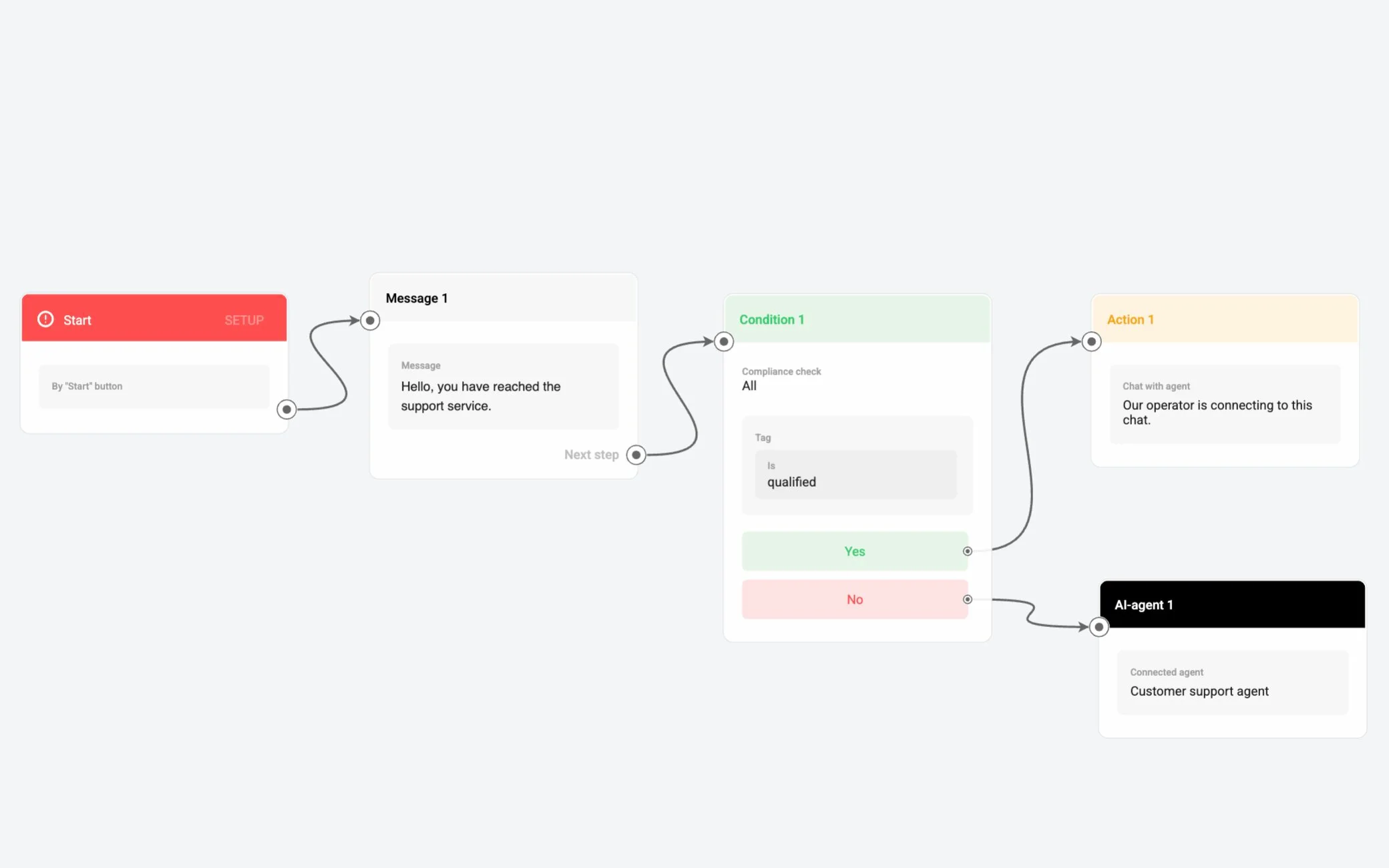
Use structured bot steps for predictable paths and AI-agent steps for open-ended questions, recommendations, and data collection.
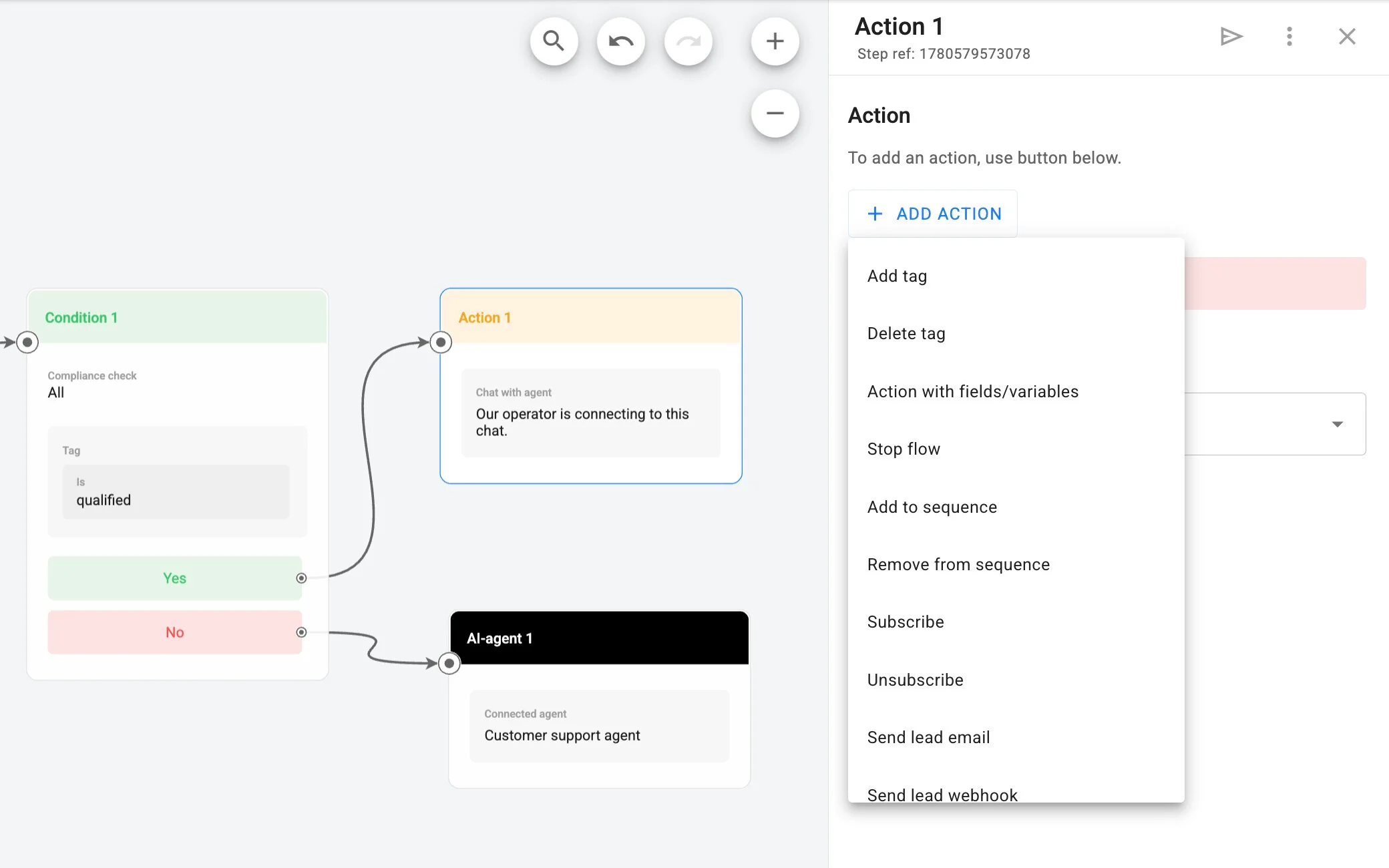
Change messages, conditions, tags, and follow-ups when offers, ads, or hypotheses change.
Send ad traffic into Messenger and let BotHelp continue the conversation with a chatbot or AI agent.
A click-to-Messenger ad starts the journey.
The welcome opens the conversation.
They reply and engage instantly.
Your automation greets and guides.
Open questions handled, data collected.
The qualified lead is routed with context.
Everything you need to build Messenger funnels, support flows, AI conversations, and measurable campaigns in one platform.
Build automated flows for welcome messages, lead magnets, product recommendations, booking, qualification, and follow-up.
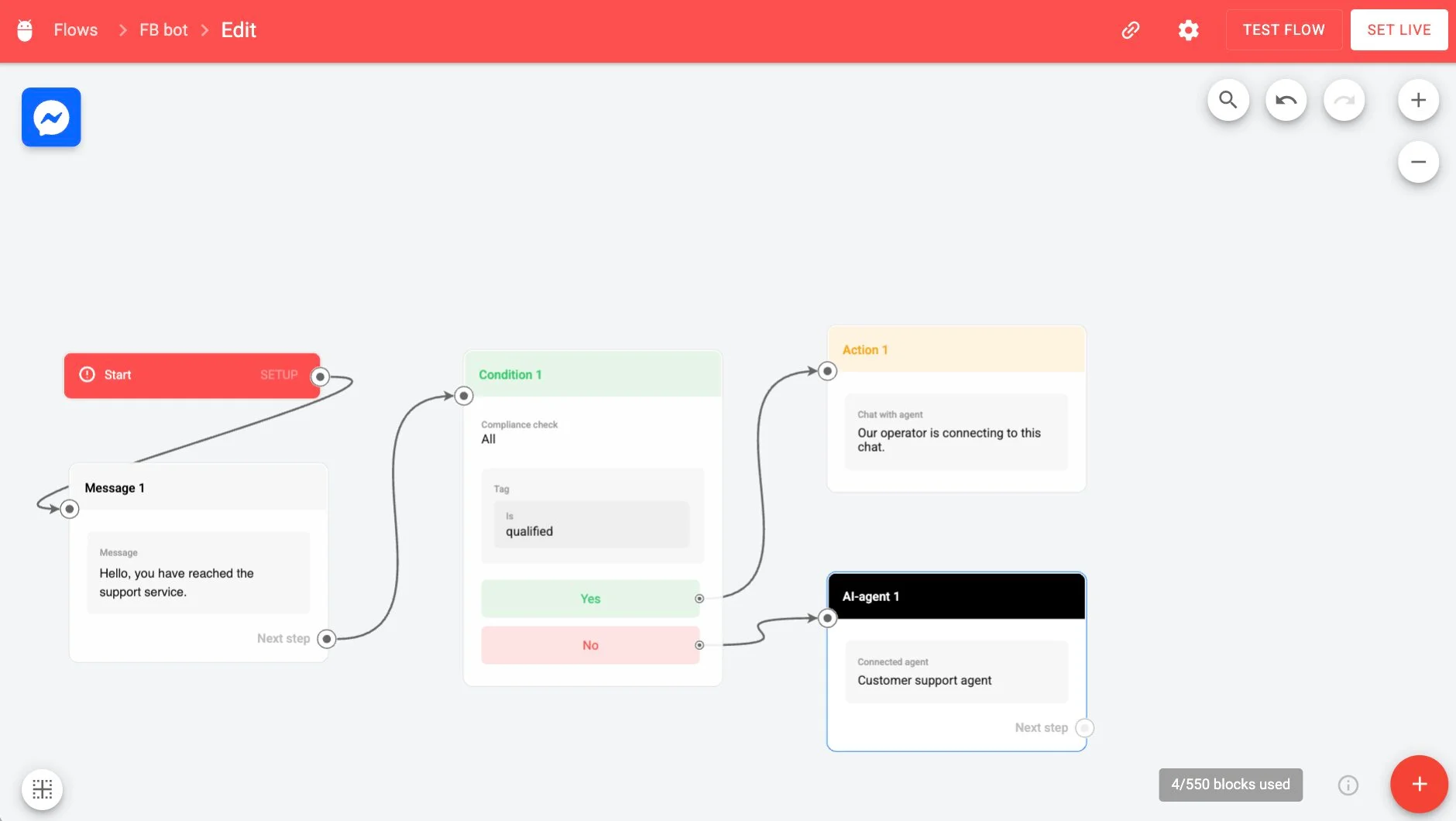
Answer open-ended questions, consult users, collect data, and work from your knowledge base.
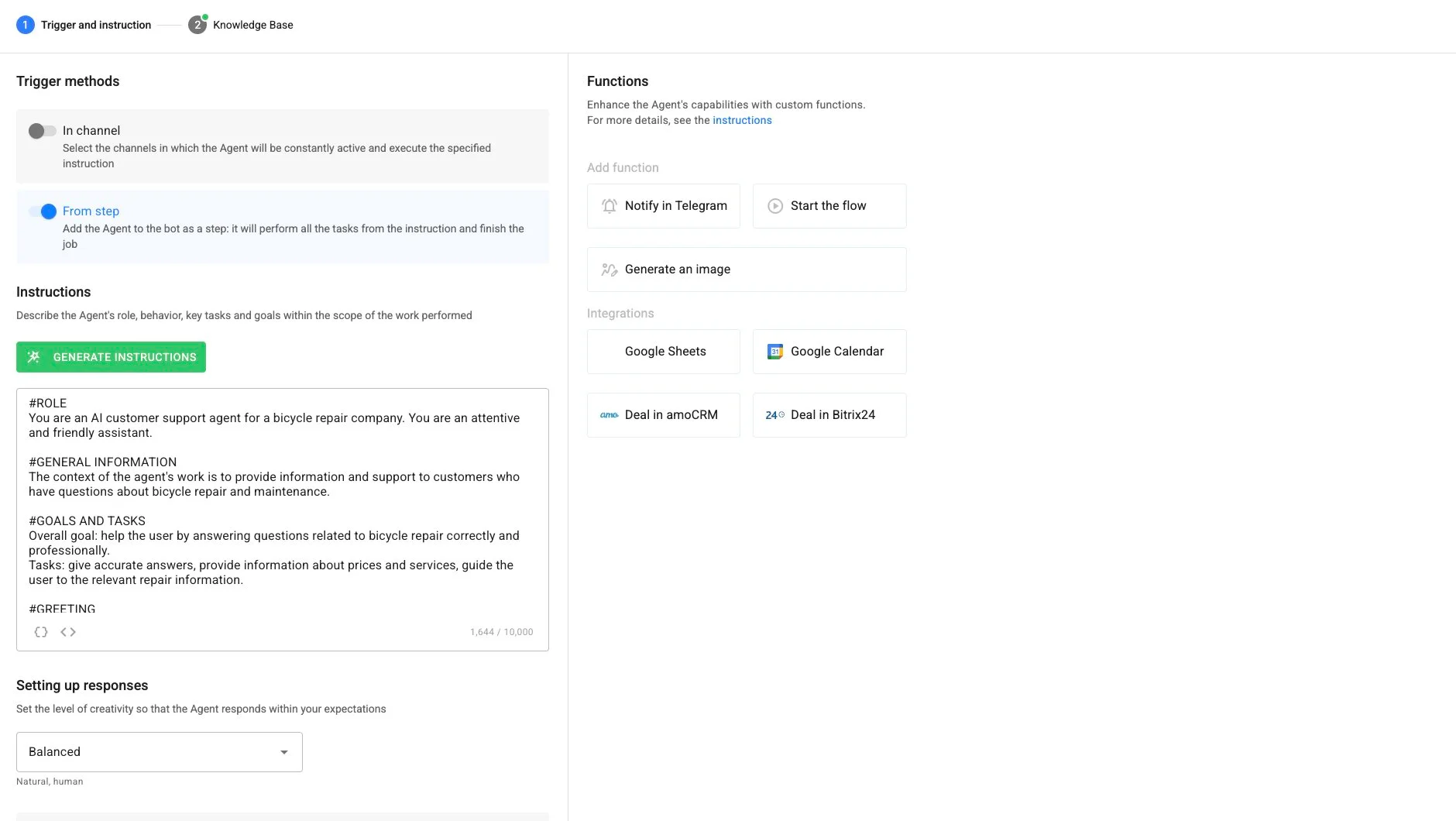
Create and edit Messenger logic with no code using messages, questions, conditions, delays, actions, and AI-agent steps.
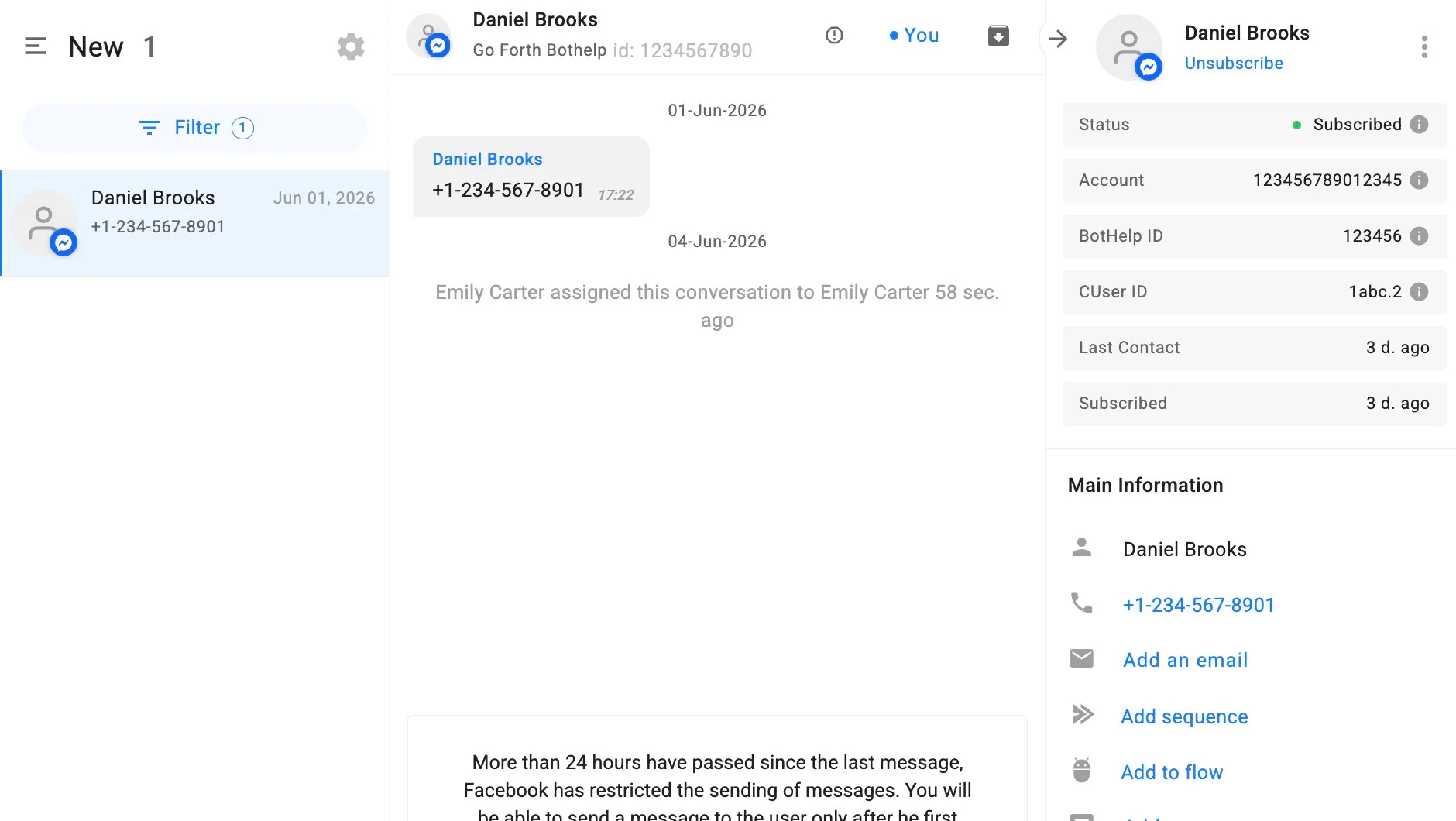
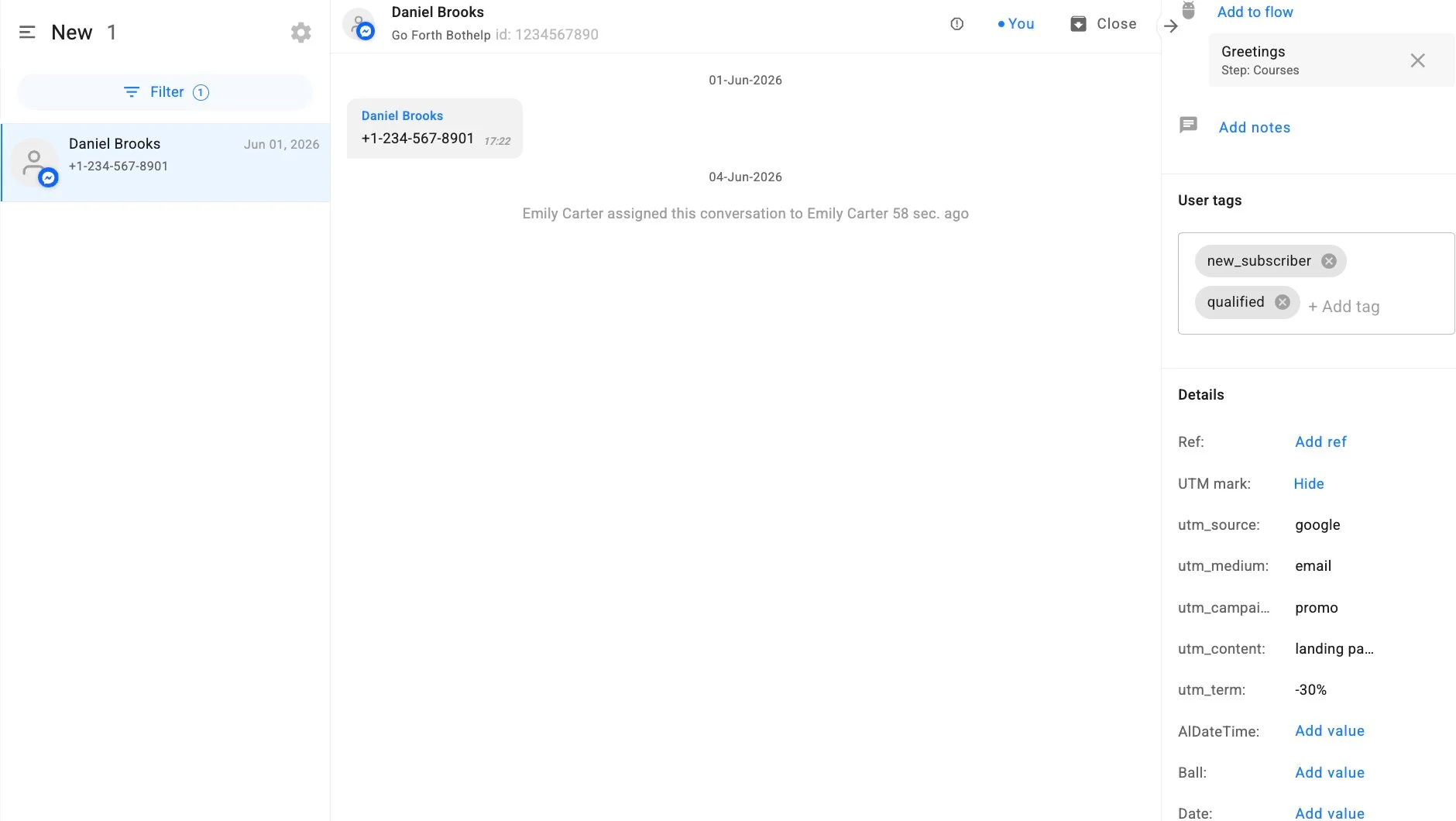
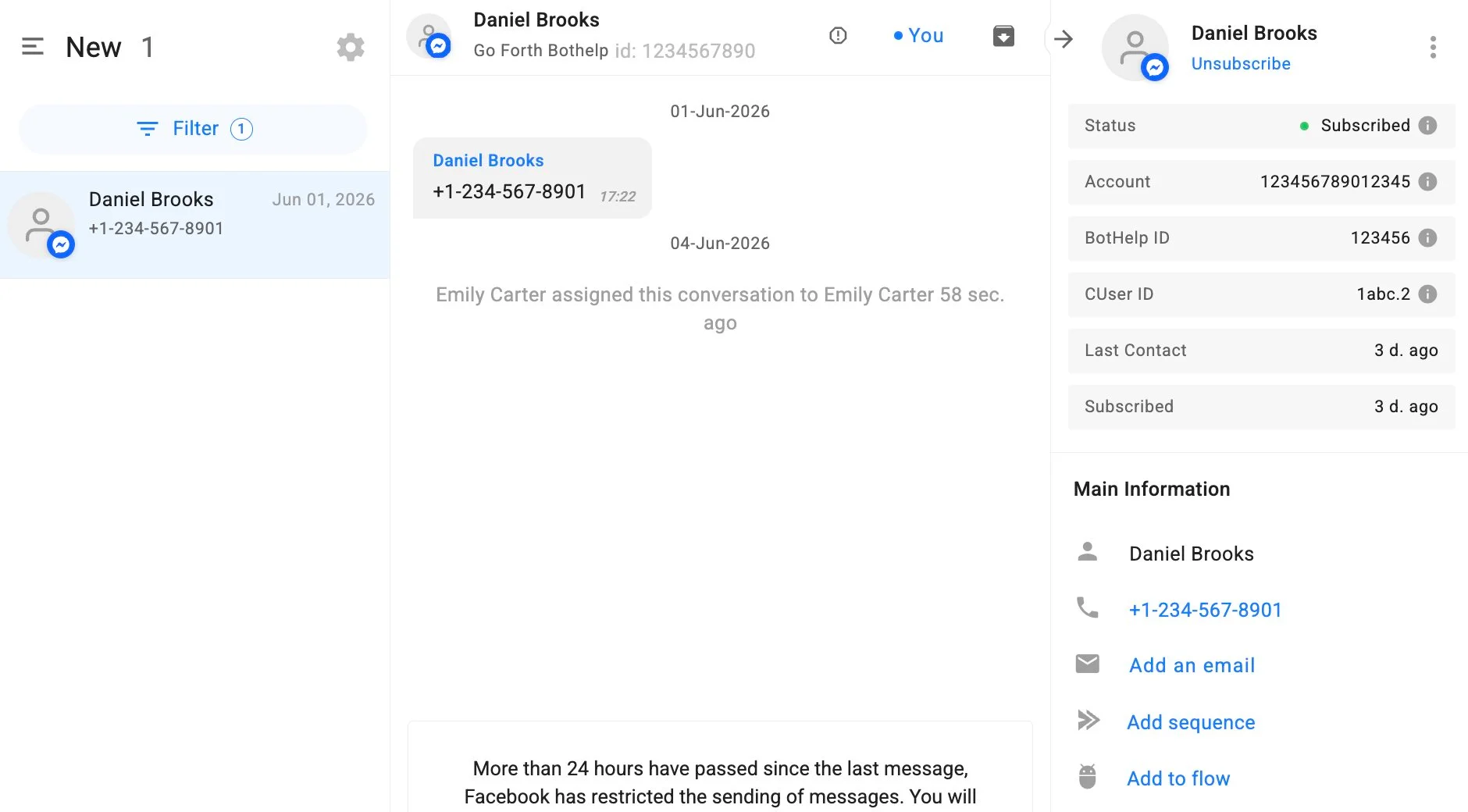
Manage Messenger conversations in BotHelp, review history, assign chats, and reply manually when needed.
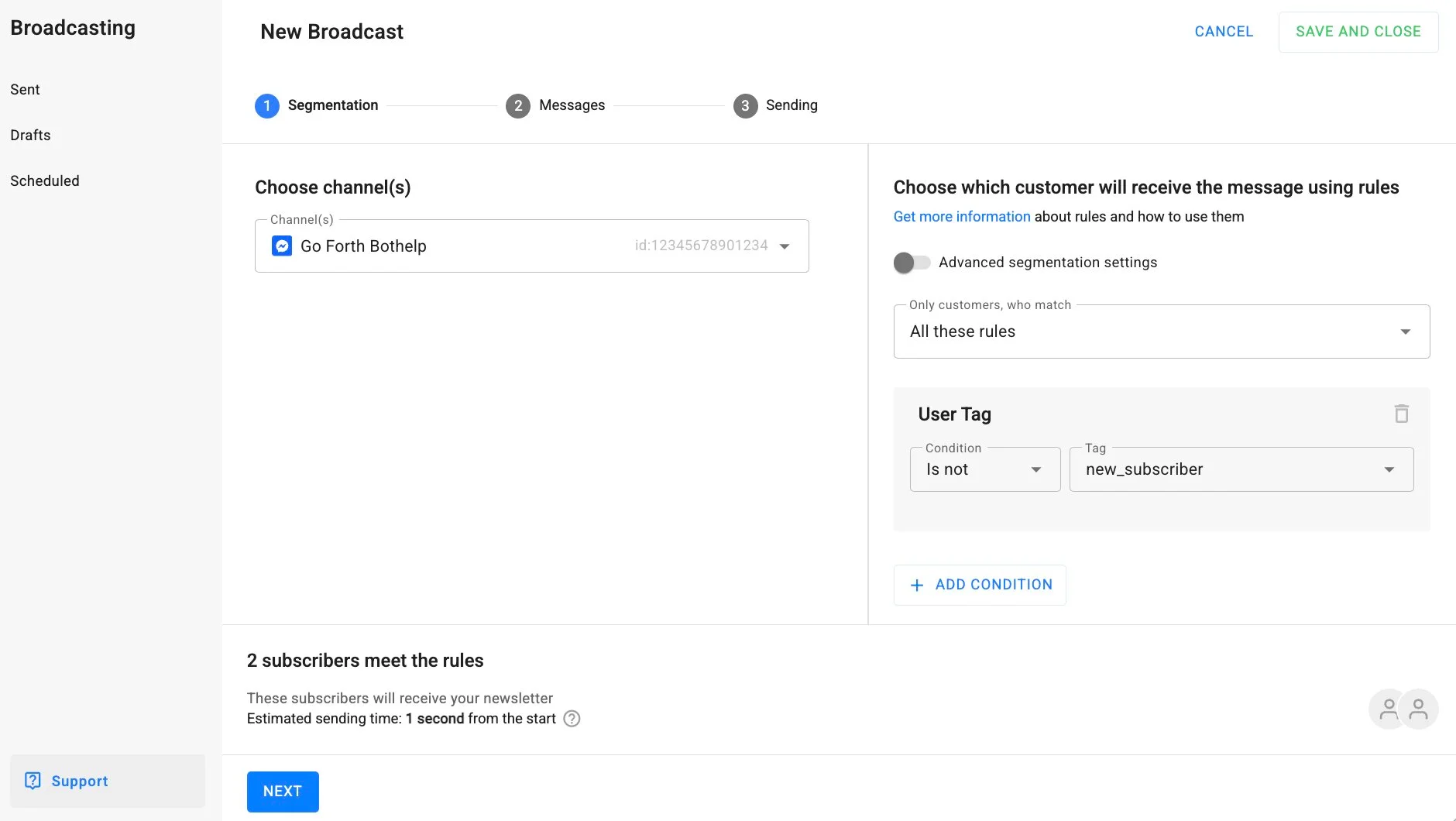
Send targeted Messenger follow-ups and reminders to selected segments while respecting Messenger rules.
Save answers, tags, custom fields, traffic source, and lead status in subscriber profiles.
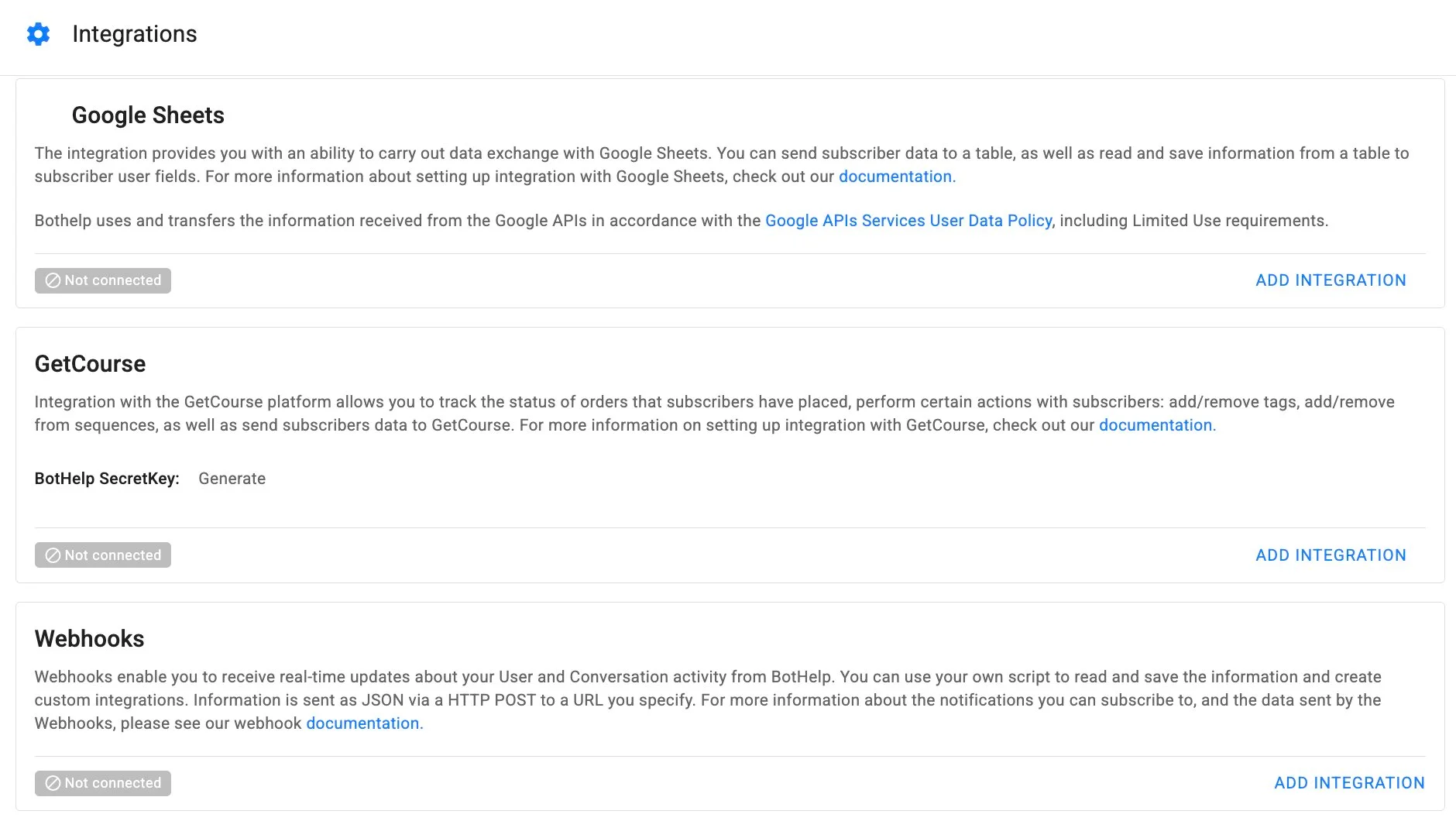
Pass lead data and events to CRM, spreadsheets, analytics, webhooks, and other tools.
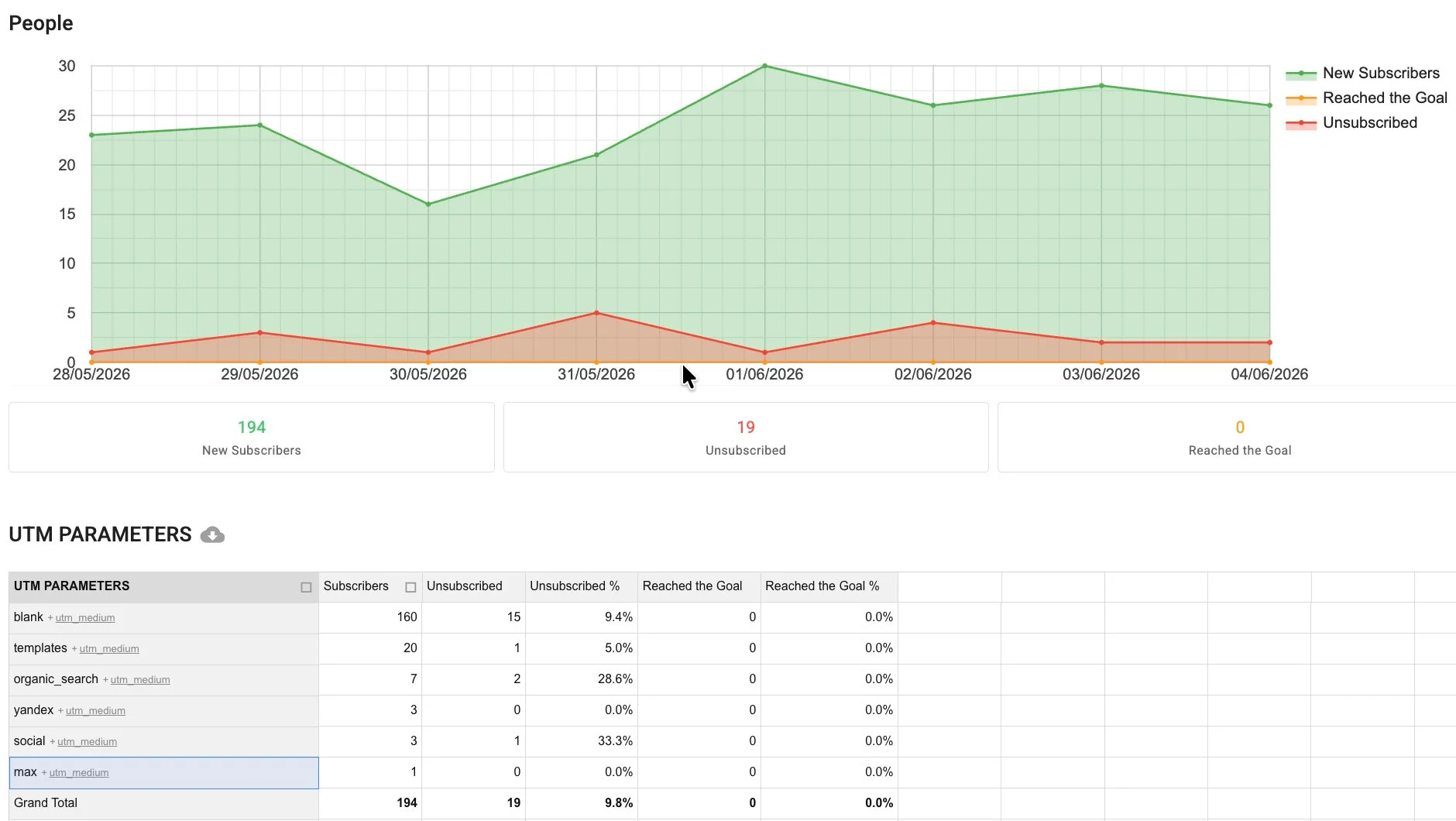
Track subscribers, traffic sources, UTM parameters, funnel performance, and campaign results.
Reply instantly when the lead is most engaged.
Let bots and AI collect goals, contacts, budget, preferences, and intent.
Turn answers, tags, and UTM sources into segments for follow-up.
Send managers only the conversations that need personal attention.
Reuse successful Messenger flows for ads, launches, events, and support.
Understand which traffic sources and messages generate qualified conversations.
| Manual Messenger replies | BotHelp Messenger automation | |
|---|---|---|
| First response | Depends on manager availability | Instant bot or AI-agent reply |
| Lead data | Often lost in the chat | Saved to subscriber profiles |
| Open-ended questions | Need a person every time | Handled by an AI agent |
| Follow-ups | Manual and easy to forget | Automated and timed |
| Team inbox | Scattered access | Unified Dialogs inbox |
| Manager context | Re-asks the same questions | Full history and collected data |
| Support load | Grows with every chat | Routine questions deflected |
| Campaign tracking | Hard to attribute | Sources, tags and UTM tracked |
| Scalability | Limited by headcount | Scales with automation |
Connect your Facebook business page, build a flow, add AI, and start managing conversations in BotHelp.
Messenger automation requires a Facebook business page. Personal pages cannot be connected.
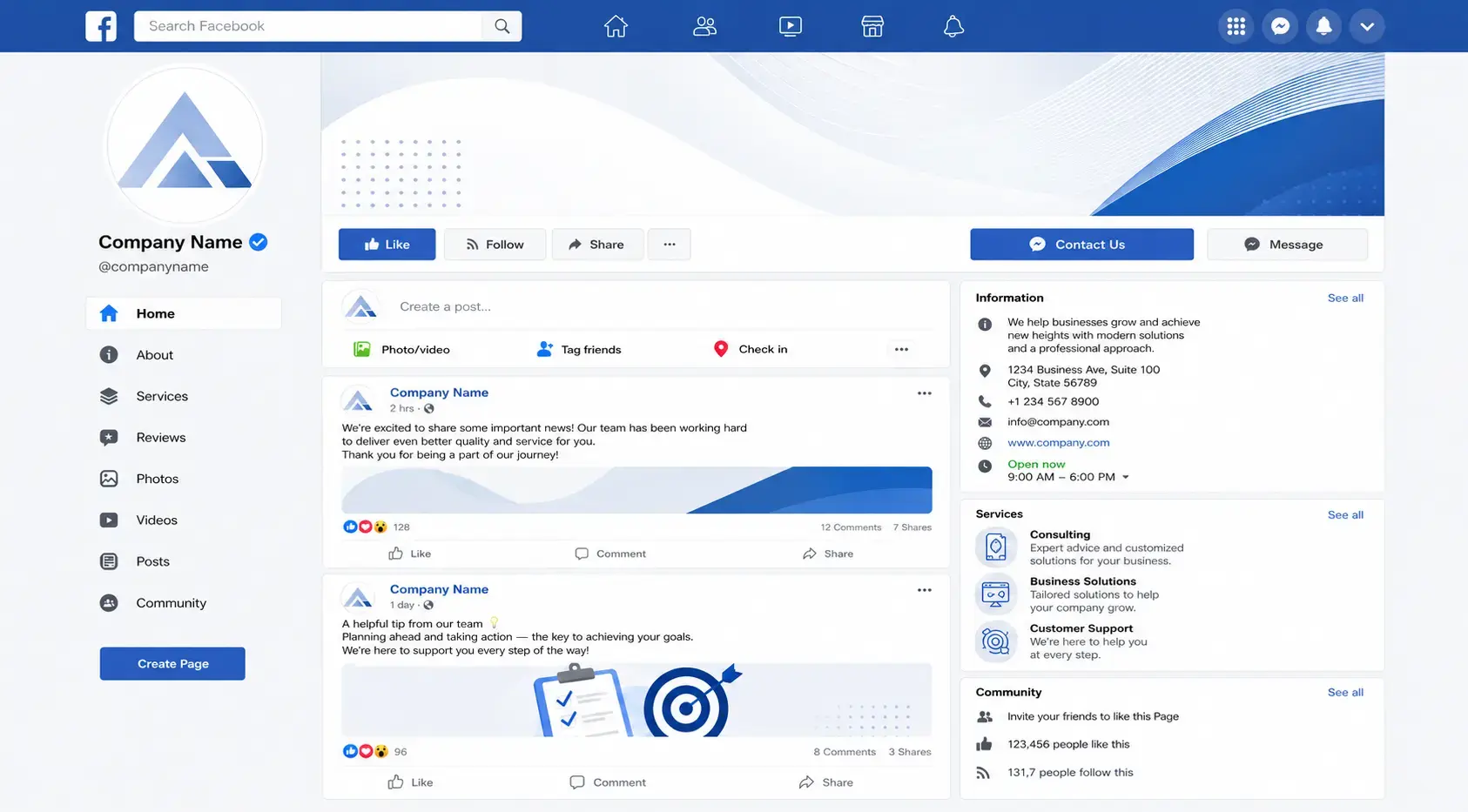
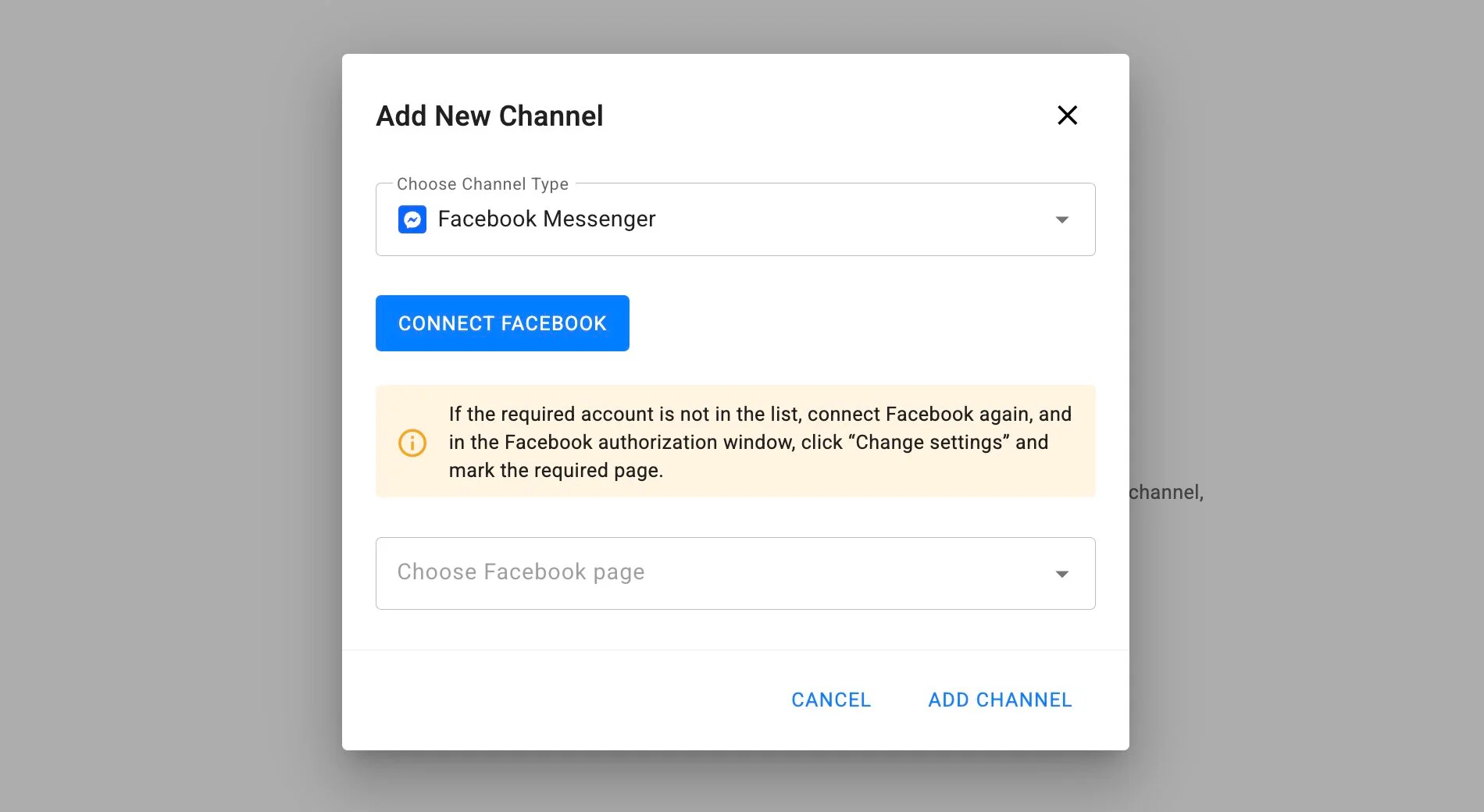
Open Channels in BotHelp, click Add new channel, select Facebook Messenger, and connect Facebook.
Create messages, questions, buttons, conditions, tags, delays, and AI-agent steps in the visual builder.
Start the flow from Messenger, ads, or links. Continue human conversations in Dialogs when needed.
Deliver lead magnets, register users for webinars, answer program questions with AI, qualify leads, and invite warm prospects to a consultation.
Run client Messenger campaigns, capture leads from ads, and report on sources and results at scale.
Answer product questions with AI, recommend items, and recover interested buyers with follow-ups.
Book appointments, answer FAQs 24/7, and pass ready-to-buy clients to a manager.
Grow subscribers, answer questions with AI, and route offers to the right segments.
Deflect routine questions with AI from the knowledge base and hand off complex cases with context.
BotHelp is trusted by 5,000+ businesses in over 70 countries to automate communication, support, and sales across messengers and social platforms.































































Facebook Messenger has rules for business messaging. Use active conversations for sales and support. For messages outside the standard interaction window, send only allowed non-promotional updates and use the appropriate message tags.
Start with a simple Messenger flow, add AI for smarter replies, and manage every conversation from one BotHelp workspace.
A Facebook Messenger chatbot is an automated assistant inside Messenger that replies to people, answers questions, qualifies and captures leads, sends follow-ups, and hands conversations to your team when needed.
An AI agent answers open-ended questions in natural language, consults users, collects and saves data in subscriber profiles, and works from your knowledge base. It can run as a channel assistant or as a step inside a bot flow.
Open Channels in BotHelp, click Add new channel, choose Facebook Messenger and connect your Facebook business page. Messages then appear in BotHelp Dialogs and your team can reply from BotHelp.
Yes. Messenger automation requires a Facebook business page. Personal pages cannot be connected.
No. BotHelp uses a visual builder, so you create Messenger flows without writing code.
Yes. You can automate replies with scripted flows and AI-agent steps that answer from your knowledge base and collect lead data.
Yes. Messages appear in BotHelp Dialogs, where your team can review history, assign chats and reply manually; the user receives the reply in Messenger.
Yes. Use structured bot steps for predictable paths and AI-agent steps for open-ended questions, recommendations and data collection within the same flow.
Yes. Click-to-Messenger ads open a conversation that launches your BotHelp flow, so new leads are greeted, qualified and routed automatically.
Yes. BotHelp saves answers, tags, custom fields and traffic source in subscriber profiles, so you can build segments for follow-up.
Yes. You can send targeted follow-ups and reminders to segments while respecting Messenger's 24-hour window and message tag rules.
Yes. BotHelp supports multiple channels, so Messenger fits into one omnichannel workspace alongside your other messengers and social platforms.
Have a Facebook business page with admin access, your key questions and offers ready, and make sure your use case follows Meta's messaging requirements.


